
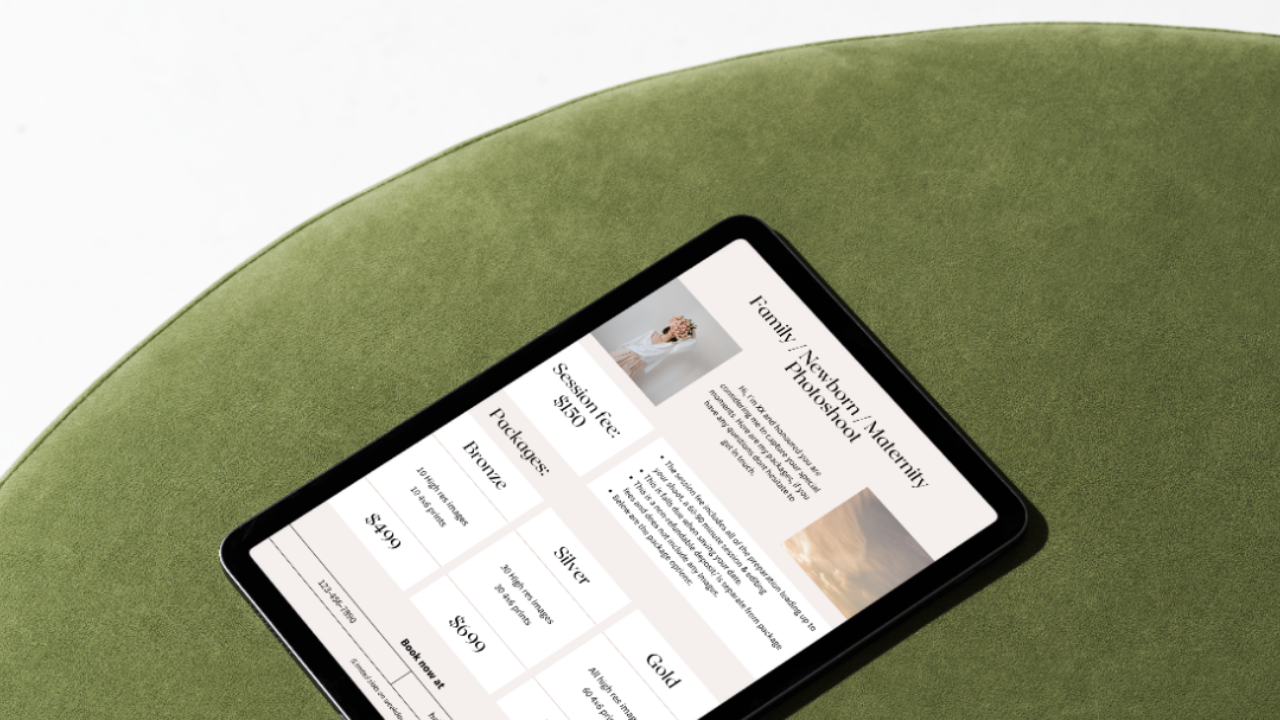
Family & Wedding Photography Pricing Guides
Done-for-you Canva templates. Drag and drop in your images and pricing.
Working out what to charge is hard enough. Then you have to put it into something that looks professional enough to send to a client. These two templates handle that second part for you.
What you get
Two editable Canva pricing guides:
Family / Newborn / Maternity guide. Set up with a session fee and three packages (Bronze, Silver, Gold). There's a section explaining what the session fee covers, when it's due, and that it's non-refundable and separate from the package price. You just adjust the wording to match how you work.
Wedding guide. Three packages laid out side by side, each with coverage hours, number of edited images and gallery delivery. Below that there's a space for add-ons like a second photographer, albums, prints, a pre-wedding shoot, extra hours and a rush editing fee.
Both include a short intro about you, two photo spots, and your booking details at the bottom.
How it works
Open the link, make a copy in Canva, and swap in your own photos, prices and contact details. Change the fonts or colours if you want to, or leave them as they are. Then download it as a PDF and send it to clients when they enquire.
Who it's for
Photographers who are starting to take paid bookings and want a clean pricing guide ready to go, without spending a weekend designing one.