
Family & Wedding Photoshoot Preparation Guides
Done-for-you Canva templates with suggested copy to help prepare your clients before their session. Drag and drop in your images and make simple copy updates.
Clients who know what to expect turn up relaxed. They've picked the right outfits, they know where to meet, and they're not worried about what happens if the kids melt down. That makes your job a lot easier, and it shows in the photos.
These guides do that for you. Send one out after a client books and most of their questions are answered before they think to ask.
What you get
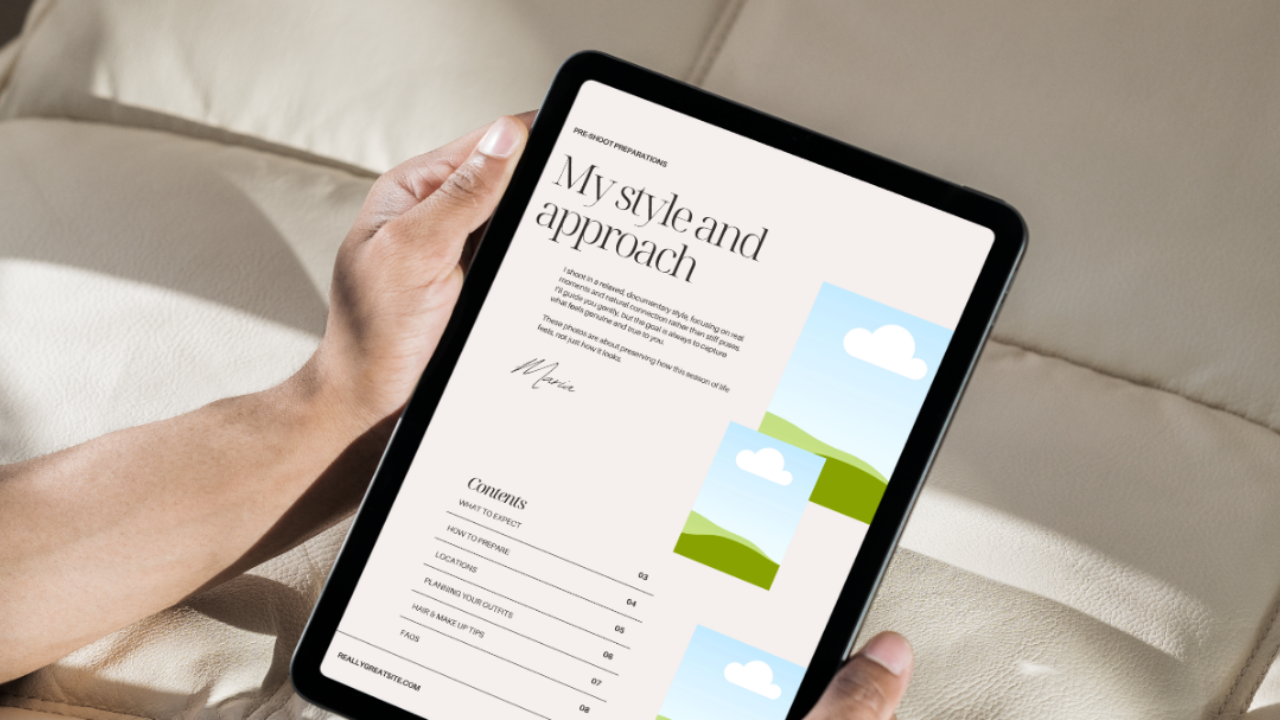
Family Photoshoot Preparation Guide (9 pages)
- My style and approach, with a contents page
- What to expect
- How to prepare, including what to bring for little ones
- Locations, with space to add your go-to spots
- Planning outfits, what works on camera and what to avoid
- Hair and makeup tips
- FAQs, including what to do if the kids don't cooperate and your wet weather policy
- After the photoshoot, walking clients through your gallery, selection and print process
Wedding Preparation Guide (7 pages)
- My style and approach, with a contents page
- What to expect on the day
- Hair and makeup, with space to list artists you recommend
- Posing tips
- FAQs
- After the wedding, explaining how clients receive their gallery
The copy is already written. You just read through it and tweak anything that doesn't match how you work.
How it works
Open the template in Canva, add your own photos, name and details, and adjust the wording where you need to. Download it as a PDF and send it to clients once they've booked.
Who it's for
Photographers who want clients to feel looked after from the moment they book, without writing a welcome guide from scratch.